> ## Documentation Index
> Fetch the complete documentation index at: https://docs.elemente.ai/llms.txt
> Use this file to discover all available pages before exploring further.
# Cloning a Voice for AI Agent
> Learn how to clone a voice and use it in the AI agent by connecting to ElevenLabs.
## Connecting to ElevenLabs
To clone your voice in our system, you need to connect your **ElevenLabs** API key.
### Steps to Connect ElevenLabs:
1. In the **Settings** page, navigate to the **Integration** section.
2. Click on **ElevenLabs** to open the settings dialog.
3. Enter your **ElevenLabs API key** and save the settings.
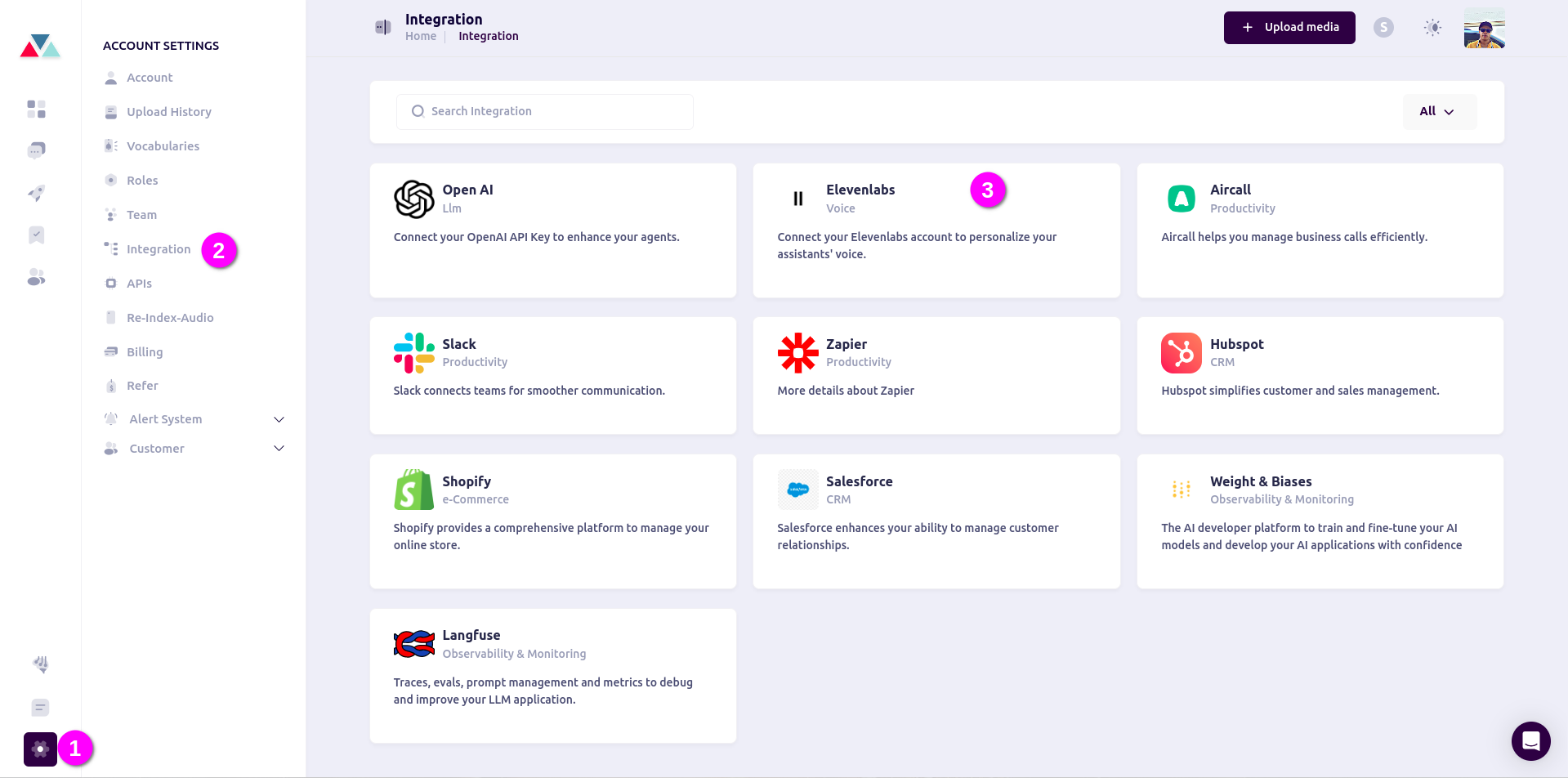 Once ElevenLabs is connected, you can proceed with voice cloning.
## Setting Up a Cloned Voice
### 1. Navigate to the AI Agents Dashboard:
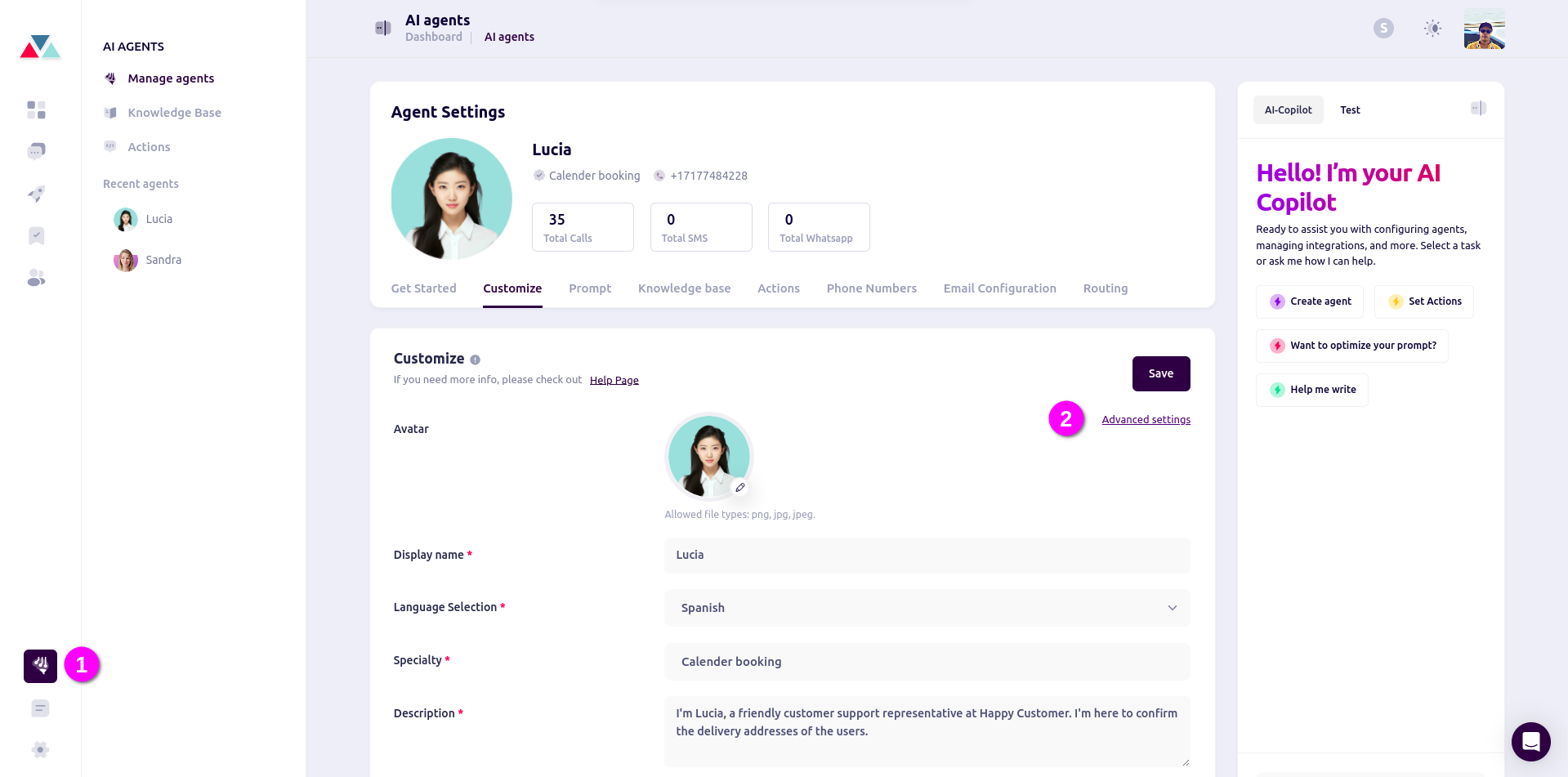
* On the main dashboard, go to **AI Agents** and select the specific agent you want to configure.
* In the **Agent Settings** page, navigate to the **Customize** tab.
* Click on **Advanced settings** to open the settings dialog.
* Select the **Voice** tab and click **Select Voice**.
Once ElevenLabs is connected, you can proceed with voice cloning.
## Setting Up a Cloned Voice
### 1. Navigate to the AI Agents Dashboard:
* On the main dashboard, go to **AI Agents** and select the specific agent you want to configure.
* In the **Agent Settings** page, navigate to the **Customize** tab.
* Click on **Advanced settings** to open the settings dialog.
* Select the **Voice** tab and click **Select Voice**.
 ### 2. Clone a New Voice:
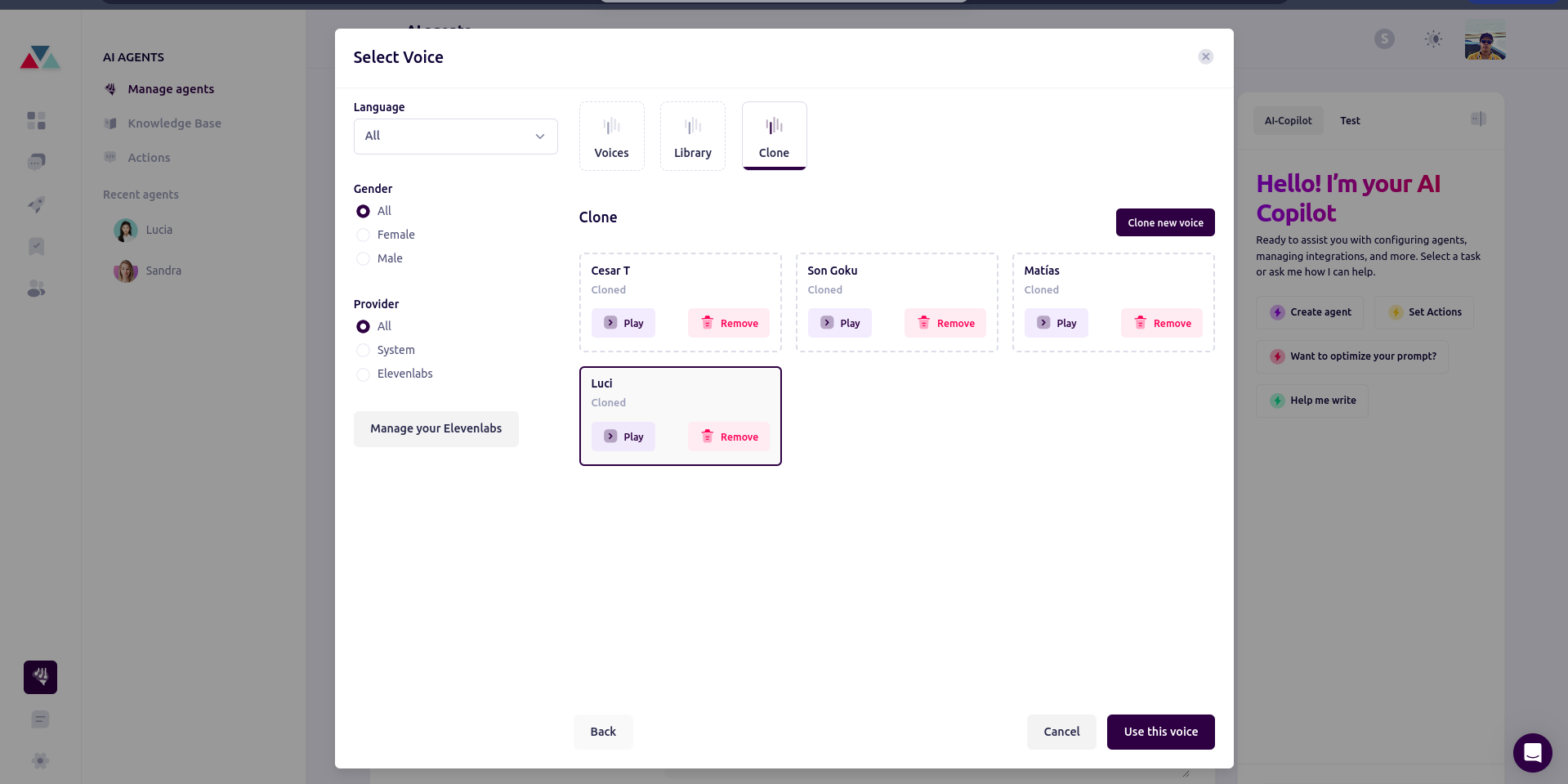
* A modal will open with three tabs: **Voices**, **Library**, and **Clone**.
* Click on the **Clone** tab.
* Click on the **Clone New Voice** button.
* A modal will appear where you can enter the name of the voice and upload a recorded audio file.
### 2. Clone a New Voice:
* A modal will open with three tabs: **Voices**, **Library**, and **Clone**.
* Click on the **Clone** tab.
* Click on the **Clone New Voice** button.
* A modal will appear where you can enter the name of the voice and upload a recorded audio file.
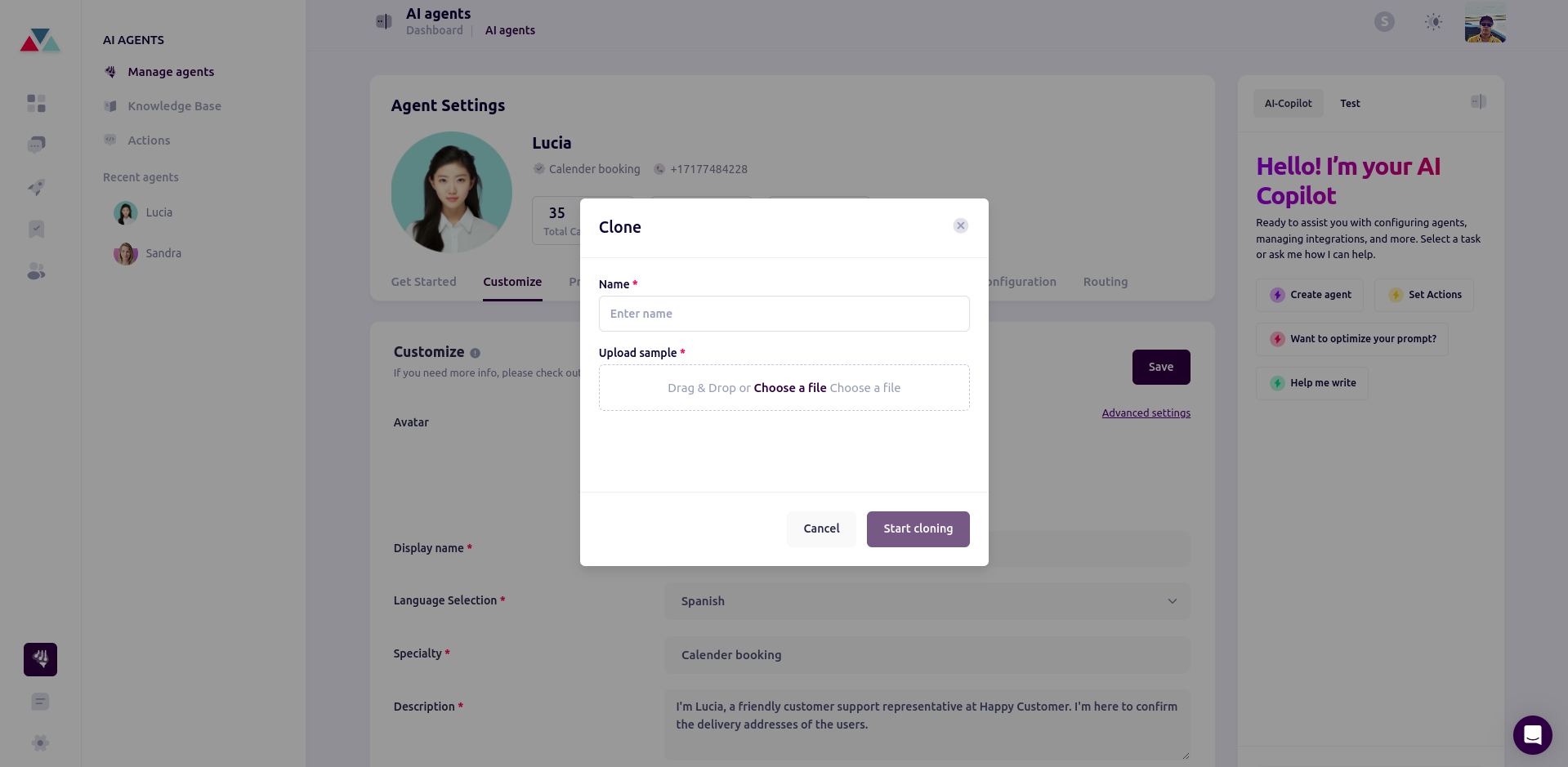 **Note:** The recorded audio must be at least **one minute long** for ElevenLabs to process it effectively.
### 3. Managing Cloned Voices:
Once the voice is uploaded, you can:
* **Play** the cloned voice to preview it.
* **Remove** the voice if you no longer need it.
* **Use** the cloned voice for your AI agent.
This process allows you to customize AI agents with unique, recognizable voices tailored to your needs. Once set up, the agent will use the cloned voice for interactions, enhancing user engagement and personalization.
**Note:** The recorded audio must be at least **one minute long** for ElevenLabs to process it effectively.
### 3. Managing Cloned Voices:
Once the voice is uploaded, you can:
* **Play** the cloned voice to preview it.
* **Remove** the voice if you no longer need it.
* **Use** the cloned voice for your AI agent.
This process allows you to customize AI agents with unique, recognizable voices tailored to your needs. Once set up, the agent will use the cloned voice for interactions, enhancing user engagement and personalization.